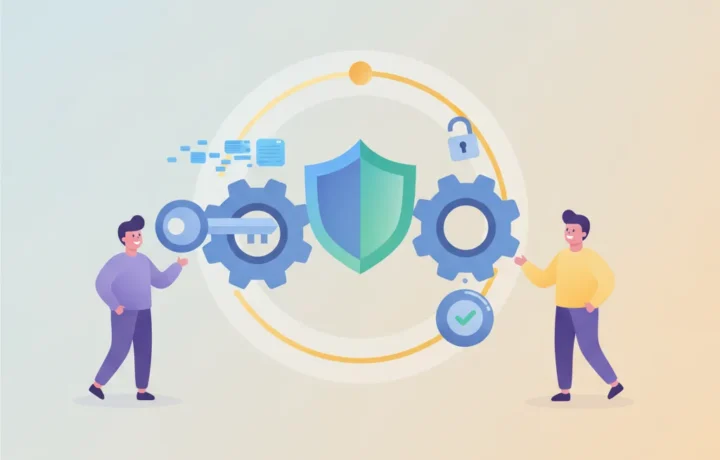
Two-step verification is an extra layer of security that helps protect your account even if someone discovers your password. It works by requiring a second factor to confirm that it is really you trying to access it. This second step can be a code sent to your phone or a specialized app. Understanding how this protection works helps you see why it is worth enabling on all important services.
How it works, step by step
- You type your password normally when signing in to your account.
- The system asks for a second factor, such as a temporary code.
- This code may arrive by SMS, an authenticator app, or a physical device.
- You enter the code you received to complete the sign-in.
- If someone tries to access the account without this code, they cannot get in.
- It is possible to register trusted devices, which will not always require the code.
What changes for the security of your accounts
With two-step verification, a leaked password is not enough to break into your account, since the intruder would also need the second factor. This greatly reduces the risk of unauthorized access. The method makes things harder not only for strangers but also for automated password-theft attempts, which are common in digital attacks.
Another benefit is that you are alerted if someone tries to access your account without authorization, because you receive an unexpected code. This extra layer is recommended for email accounts, banks, social networks, and any important service. It becomes much harder for someone trying to break in, making the process more secure.
Many services notify the user if two-step verification is turned off, creating another barrier against manipulation attempts. This allows you to act quickly if something strange happens. Using two-step verification is among the best practices for protecting personal data on the internet.
Most common second-step options
Second-step methods have evolved and there are varied options, depending on the service. The most used today are codes sent by SMS, authenticator apps, and physical keys. Each option offers different levels of convenience and security.
- SMS code: the code arrives via message on your phone.
- Authenticator app: an app generates temporary codes even offline.
- USB or NFC physical key: a device you plug in or hold near your phone.
- App notification: the system sends a request to approve access in your app.
- Biometrics: fingerprint or face as a way to unlock access (in some cases).
Each option has different advantages. Authenticator apps and physical keys are usually more secure, as they depend less on the mobile network, while SMS is more convenient but can be vulnerable to specific scams.
Main factors that influence protection
The security offered by each two-step verification method can vary. SMS, for example, can be targeted by fraud that intercepts messages, despite being widely used for its simplicity. Authenticator apps, on the other hand, generate codes on the device itself and work even without internet, making them hard to intercept.
Physical keys are even more secure, as they require something only you have. This model is more used by companies or people who need maximum security. Notifications and biometrics also appear on some platforms, making the process quick and protected, but they require the device to be in hand and up to date.
It is important to remember that no method is completely immune to failures. Keeping recovery details, such as an alternative phone number or email, up to date helps avoid lockouts if you lose the second factor.
Common misconceptions about two-step verification
A frequent mistake is thinking the process is complicated and time-consuming. In fact, entering a second code takes just a few seconds and can be skipped on trusted devices. Once you understand how it works, users realize the benefits outweigh the slight increase in effort.
Another common misconception is that only financial services need this protection. In reality, emails, social networks, and messaging apps are also frequent targets of unauthorized access attempts, so two-step verification is recommended for many types of accounts.
Finally, some people think using SMS is enough. While it helps, protecting with an authenticator app or physical key involves fewer risks, precisely because they do not depend on the mobile network and are harder to intercept.
Frequently asked questions
If I lose my phone, can I access the account?
Yes, but you will need the backup codes that many services provide or an alternative email registered on the account. For this reason, always save these codes in a safe place and keep your recovery details up to date. If you have no access, you will need to go through a more detailed recovery process to prove your identity.
Is there a risk of being locked out of the account?
Yes, especially if you do not keep the backup codes or if the alternative details are outdated. To avoid problems, follow the service's instructions when enabling security and keep the information in a safe place, away from your phone or computer.
Can I use two-step verification on more than one device?
Most services allow you to register more than one device as an authentication option or receive codes on several devices. This makes access easier if you change phones. Always check the service's settings to add new devices and remove any you no longer use.
Can I choose which method to use as the second step?
In general, the main services offer more than one second-step option for authentication. You decide between SMS, authenticator app, physical key, or other alternatives, according to your needs and access options. Check the available options in the account's security menu.
Two-step verification: simple protection that makes a difference
Turning on two-step verification is an efficient way to make your account much more secure. Even if the password falls into the wrong hands, access will only be granted if the intruder also has the second factor, which makes attacks harder. The combination of a password and an extra authentication step is today one of the most effective strategies for avoiding digital headaches.
The process may seem strange at first, but it quickly fits into day-to-day life. When managing important accounts, it's worth checking which two-step verification options are available and choosing the one that best suits your needs. With this extra layer, your data and personal information gain a very valuable additional protection.