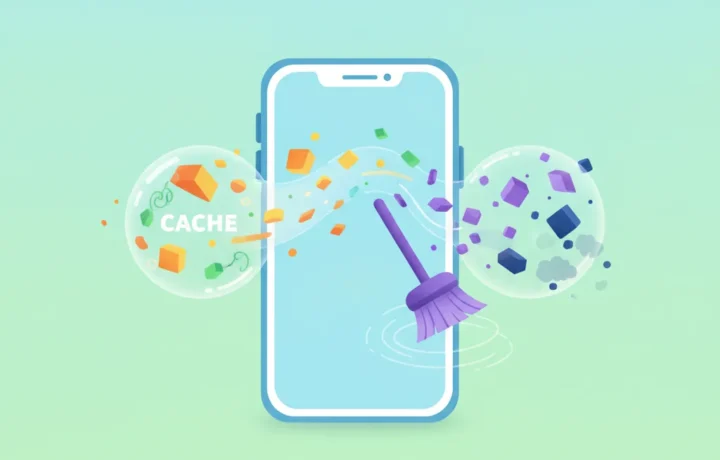
App cache is used to make apps faster by storing temporary files on your device. When you use an app, it stores images, data and settings in this space called cache. Clearing the cache can fix problems when an app becomes slow or shows errors, but it is not always necessary. Understanding how it works and when to clear it is important to keep your phone working well.
How app cache works day to day
Cache is a temporary storage area used by apps to keep information that is accessed frequently. This includes images, text and data used repeatedly, which reduces waiting time when opening or using the app. For example, when opening a social network, photos and videos viewed earlier may already be saved in the cache, making browsing faster.
Saving time and data is one of the main functions of cache. Apps such as browsers, games and messaging apps use this function a lot. Cache also helps reduce internet consumption, since it avoids downloading content that has already been viewed again.
Despite its advantages, the cache can become full or corrupted. Sometimes accumulated temporary files cause slowness or prevent the app from working correctly, which is when clearing the cache can help.
The steps of cache use on the phone
- The app stores temporary files and data in the cache as soon as you start using it, making future loads faster.
- When you open the app again, it first looks in the cache for the information to display the content, without having to download everything again.
- Over time, the cache can grow and take up significant space in the device's internal storage.
- Clearing the cache removes these temporary files, freeing up space and, in some cases, fixing app failures.
- After clearing, the app may take a little longer to load certain information the first time, since the cache will be empty.
Why the result can vary when clearing the cache
Clearing the cache does not always solve all of an app's problems. If the problem lies in the app's own data, such as saved settings or corrupted files that are not kept in the cache, clearing may not help. In that case, only reinstalling may help.
The impact of clearing the cache also depends on the type of app and how often it is used. In streaming or social network apps, there may be brief slowness after clearing the cache, until the data is saved again.
Devices with little internal memory may benefit more from regular cache clearing, since it frees up space. On newer devices, the system usually manages the cache automatically to avoid unnecessary buildup.
Common misconceptions about app cache
One of the most common mistakes is believing that clearing app cache always makes the device faster. The truth is that, in many cases, the cache helps speed up performance precisely because it avoids repeated downloads.
Some people confuse clearing the cache with deleting app data. Deleting data removes information such as logged-in accounts, history and preferences, while clearing the cache only eliminates temporary files.
The idea that you must clear the cache regularly to look after your phone also does not hold for all users. Frequent, unnecessary clearing can even slow down app loading at the start.
Situations in which clearing the cache can be useful
Clearing the cache is recommended when an app starts freezing, closes on its own or no longer loads content as before. It can also help if there are error messages related to how the app works.
Another situation is when internal storage is close to its limit. Cache, by taking up a lot of space, can be erased to free memory, especially on phones with low capacity.
- An app with sudden slowness may start working better after clearing the cache.
- Notifications or content not updating correctly? Clearing the cache may fix it.
- If error messages appear when opening or using an app, clearing is an initial diagnostic step.
- Phone storage almost full? Clearing the caches of several apps can free up important memory.
However, the process does not always solve more serious problems. In those cases, you may need to reinstall the app.
What happens after clearing the cache
After clearing the cache, the app works again as if it had been opened for the first time, as far as temporary files go. Photos, videos and text may take a little longer to load until a new cache is created.
You do not lose important information, registered accounts or app settings, since this data is kept separate from the cache. Only quick-access files are deleted in this process.
It is common to notice an improvement in the app's performance after clearing, especially if it was freezing. Otherwise, the problem may lie elsewhere, unrelated to the cache.
Frequently asked questions
Does clearing the cache delete my personal conversations or files?
No, clearing the cache does not remove conversations, photos, videos or personal files from the app. It only deletes temporary files that speed up the app's operation. All important information and saved data remain intact. Only clearing the app's data erases that kind of content.
Is it dangerous to clear the cache regularly?
Clearing the cache poses no risk to the device or the apps. However, doing it constantly can make apps take longer to load at the start, since they will have to download again files that could have been kept temporarily on the device.
Do all apps have cache?
Not necessarily. Most apps use cache to speed up data access and save internet, but not all of them use this feature. Games, social networks and browsers tend to use cache more than other types of apps.
Does the operating system manage the cache on its own?
On most modern smartphones, the operating system itself manages the cache, automatically removing very old or little-used files. Even so, users have the option to clear it manually if they notice performance problems or want to free up space.
Summary about app cache and clearing
App cache is a tool designed to improve the speed and efficiency of the apps on your phone. It stores temporary information and makes it easier to access the content you use most, saving time and internet data.
Clearing the cache can be a useful solution in cases of slowness or errors, but it is not mandatory for everyone. Understanding how it works helps you choose the best time to clean it and keep your device in good condition.