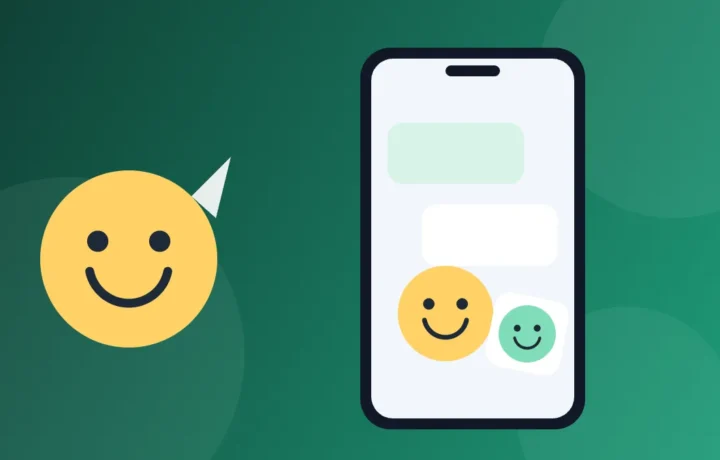
The dog's face, the phrase only your group gets, the family party photo: almost any image can become a sticker for the WhatsAppand now the app itself has a built-in creator. Here we show how to use this creator, which apps help you go further, with automatic cutout and animated stickers, and the precautions worth taking before spreading a sticker around.
Prices and availability checked on Google Play and the App Store in Brazil in November 2026.
In a few words
- Creator of the WhatsAppnothing to install, on Android and iPhone.
- Sticker.ly: automatic cutout, animated stickers and a huge library of packs, on Android and iPhone.
- Sticker maker, from Viko & Co: simple, with cutout done by finger; Google Play only.
- Sticker Maker, from Stickify: automatic cutout and no ads, according to the store; Google Play only.
What a sticker is, in practice
Technically, a sticker is a square, lightweight image with a transparent background, so that only the drawing or cutout appears in the chat. The Help Center of WhatsApp lists the rules: 512 by 512 pixels, up to 100 KB for static ones and up to 500 KB for animated ones, with animation of at most 10 seconds, and up to 30 stickers per pack. A pack also does not mix static and animated stickers.
You don't need to memorize any of this: the creator of the WhatsApp and the apps below adjust size and format on their own. But knowing the rules helps you understand why a long video doesn't become an animated sticker, or why a full pack no longer accepts any more.
The 4 ways to create and download stickers
1. The creator built into the WhatsApp
Before installing anything, it's worth testing what already comes in the app. According to the Help Center of WhatsApp, the most recent versions for Android and iPhone let you create a sticker from a photo, directly in the chat:
- Open a chat, tap the emoji icon and go to the stickers tab.
- Tap Create.
- Choose an image from the gallery or take a photo on the spot.
- On the editing screen, add text, emojis, other stickers or a drawing made with your finger.
- Tap the send button, and the sticker goes to the chat.
To organize what you created, tap and hold a sticker in the tray and choose Add to sticker pack: you can create a new pack, give it a name and share it with friends. In the same tray, the add-stickers button shows ready-made packs offered by the WhatsAppitself, which you download with one tap, and the magnifier searches for stickers by word or emoji.
There is also the Generate with AI option, which creates up to four stickers from a written description. The help notes that it was launched only in some countries and accepts descriptions in English, Indonesian, Portuguese and Spanish, so it may not appear on your phone.
Point of attention: if the Create option doesn't appear, update the WhatsApp from the store. It is the first step the help itself recommends when stickers don't show up.
2. Sticker.ly: automatic cutout and animated stickers
The Sticker.ly, from Naver Z Corporation, has passed 100 million downloads on Google Play. The proposal, according to the official description, is to turn photos and videos into stickers: the automatic background eraser cuts out faces, people or pets, videos and GIFs become animated stickers, and you can add phrases. The finished pack goes straight to the WhatsAppand you can send the whole pack to friends with a link.
It also has a library of millions of stickers created by users around the world, organized by theme, for those who just want to download ready-made packs for the group.
Point of attention: downloading costs nothing, but Google Play reports that the app has ads and in-app purchases, and the App Store lists subscriptions (on the day of consultation, R$ 33.99 per month or R$ 169.90 per year). Before subscribing, test what the free version already does. In a free trial offer, check the date of the first charge and the way to cancel.
3. Sticker maker, from Viko & Co: the simplest (Google Play only)
Also with more than 100 million downloads on Google Play, the Sticker maker of the Viko & Co handles the basics in a few steps, as the store describes: you name the pack, add the images, cut out each one with your finger and publish the pack to WhatsAppIt works both for your own photos and for memes saved on the phone.
Manual cutout takes more work than automatic, but gives more control: you decide exactly what goes into the sticker and what stays out.
Point of attention: we did not find a version of it on the Brazilian App Store, and Google Play indicates ads and purchases in the app. If the pack doesn't get into the WhatsApp, the description itself advises updating the WhatsApp.
4. Sticker Maker, from Stickify: no ads, according to the store (Google Play only)
The Sticker Maker of the Stickify creates stickers from photos, videos and GIFs, with an automatic background remover that detects faces, tools to cut and erase, and text with fonts and colors of your choice. The description also says you can back up your stickers and restore them on a new phone, and that the stickers you create are kept on your device, not visible to anyone unless you share them.
The Google Play page does not carry an ads label, and the app's description confirms that the latest update removed the ads.
Point of attention: we also only found it on Google Play, and it has in-app purchases. On the App Store there is an app with a similar name, but from a different developer, which is not this one.
Quick comparison
| Option | Cost | Strong point | Point of attention |
|---|---|---|---|
| Creator of the WhatsApp | Free | Nothing to install; Android and iPhone | The AI option only exists in some countries |
| Sticker.ly | Free to download | Automatic cutout, animated and pack library | Ads and subscriptions |
| Sticker maker (Viko & Co) | Free to download | Simple, with cutout done by finger | Google Play only; ads and in-app purchases |
| Sticker Maker (Stickify) | Free to download | No ads, according to the store; sticker backup | Google Play only; in-app purchases |
How to install safely
Use only the phone's official store. A sticker app taken from a website or a group link, in APK format, may come with viruses, and none of the options on this list requires that. Also pay attention to permissions: according to the descriptions on Google Play, the Sticker.ly lists access to photos, videos and notifications as optional, and the Sticker Maker of the Stickify asks for photos, videos or camera when it needs them. A sticker app that asks for contacts, SMS or access to your messages deserves suspicion.
On Android
- Search for the app's name on Google Play.
- Check who published it, just below the name: WhatsApp LLC, Naver Z Corporation, Viko & Co or Stickify. Sticker apps with almost identical names exist by the dozens.
- Install it, and when the app asks for your photos and Android offers that choice, allow access only to the images you'll use, instead of the whole gallery.
On iPhone
- Search for the app by name in the App Store search.
- On its page, check the developer: WhatsApp Inc. or NAVER Z Corporation.
- Confirm the installation with biometrics or with your Apple account password.
- When asked for access to photos, prefer to allow only some images.
Tips for stickers that turn out well
- Contrasting background. Automatic cutout makes fewer mistakes when the person or animal stands out well from the background.
- Good light. A dark or blurry photo becomes a blurry sticker. Daylight, facing the light, works best.
- Frame with some room. Leave a little space around so the cutout doesn't cut off ears, hair or tails.
- Short, large text. The sticker appears small in the conversation; a long sentence becomes unreadable.
- Short video for animated ones. Since the animation is at most 10 seconds, choose only the funniest part.
- Packs by theme. Separating them into family, work and pets makes it easier to find the right sticker at the moment you need it.
Precautions before creating and sharing
A sticker seems like a joke, but it spreads fast: whoever receives it can save it and forward it to other groups, and you lose control of where it ends up. So, some precautions:
- Someone else's photo, only with permission. Ask first, especially if it's a photo of a child, if the person appears in an embarrassing situation, or if the sticker will go to large groups. A joke among friends can turn into exposure.
- Images under copyright have an owner. Cartoon characters, scenes from movies and series, logos and photos of artists are not free to use. This also applies to ready-made packs from libraries, many made by other users with third-party images. The help of the WhatsApp reminds that stickers must be authorized, lawful and follow the service's rules. Prefer photos and drawings of your own.
- No inappropriate content. Stickers with nudity, violence, offense or prejudice hurt people, can be reported and, in the most serious cases, lead to legal trouble. In groups with children, family or coworkers, the care is doubled.
- Think before publishing. If an app offers to publish your pack for other people, consider whether you want strangers to see those photos.
Frequently asked questions
Do I need to install another app to create stickers?
No. The WhatsApp covers the basics, with photo, text, emoji and drawing. The other apps help when you want automatic cutout, animated stickers made from video or to build many packs at once.
Why doesn't the pack show up in the WhatsApp?
The most common reason is that WhatsApp is outdated: update it from the store and try again. Also check the pack rules: at most 30 stickers, and static and animated ones always in separate packs.
Can I make an animated sticker?
Yes. The Sticker.ly and the Sticker Maker of the Stickify turn videos and GIFs into animated stickers. Remember the limit of the WhatsApp: up to 10 seconds of animation per sticker.
Are these apps free?
The WhatsApp is free. The other three are free to download, but have in-app purchases, and two of them also show ads. Read carefully any screen that offers a subscription.
Are the stickers I create public?
On WhatsApp, only the recipient sees the sticker, but they can forward it. The Stickify says the stickers stay on your phone. In apps with a pack library, check the options before sharing.
If this guide helped, check the Apps category, which has more apps explained step by step, and Curiosities, with texts about the internet and the way we talk today.