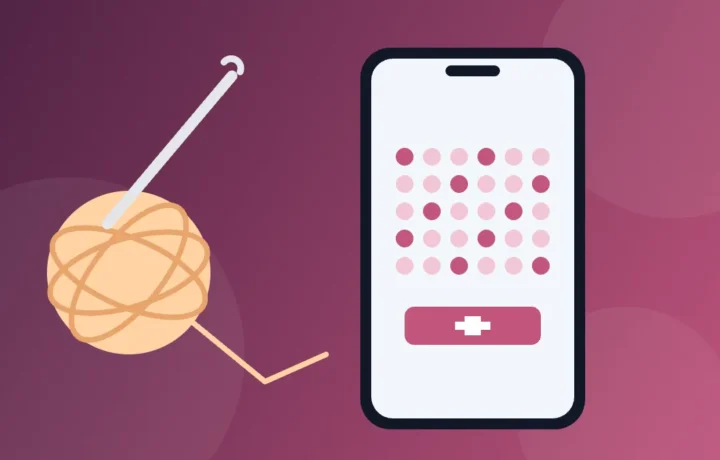
O crochê cabe na bolsa, e hoje o celular vai junto como professor, caderno e calculadora. Dá para aprender os pontos vendo as mãos de alguém de perto, contar carreiras sem riscar papel e seguir receitas passo a passo na tela. Explicamos o que cada tipo de app resolve, os pontos básicos para começar e quatro apps disponíveis no Brasil, com o custo de cada um.
Prices and availability checked on Google Play and the App Store in Brazil in November 2026.
In a few words
- YouTube: para aprender os pontos vendo de perto; grátis, com anúncios.
- Contador de Filas: vários contadores no mesmo projeto, e a maior parte dos recursos é grátis.
- Crochet App: receitas passo a passo, seus PDFs e contador no mesmo lugar.
- Crochê: Receitas e Contador, from Dostich Apps: receitas grátis novas todo dia, com anúncios.
O que um app resolve no crochê
Quem faz crochê esbarra em três dificuldades: aprender o movimento dos pontos, não perder a conta e entender a receita. Cada tipo de app ataca uma delas.
- Vídeos mostram o caminho da agulha, que é difícil de entender só lendo. Dá para pausar, voltar e repetir quantas vezes for preciso.
- Contadores de carreiras substituem o papel e o lápis: terminou uma carreira, um toque na tela. Os bons permitem vários contadores no mesmo projeto, um para as carreiras e outro para as repetições, por exemplo.
- Apps de receitas trazem o passo a passo em texto ou em gráfico, com o nível de dificuldade, e alguns deixam guardar os PDFs de receitas que você já tem.
Os pontos básicos para começar
Quase toda receita é feita com um punhado de pontos, e conhecê-los antes faz os vídeos e as receitas fazerem sentido mais rápido. Entre parênteses, a abreviação comum nas receitas brasileiras.
- Nó corrediço: o laço inicial que prende o fio na agulha. Ele se ajusta puxando a ponta solta.
- Correntinha (corr): o ponto mais básico. Passe o fio por cima da agulha e puxe essa nova laçada por dentro da que já está nela. Uma fileira de correntinhas é a base da maioria dos trabalhos.
- Ponto baixíssimo (pbx): o mais baixo de todos. Entre com a agulha no ponto, pegue o fio e puxe direto por tudo o que está na agulha. Serve para unir partes e fechar voltas.
- Ponto baixo (pb): entre no ponto, pegue o fio e puxe uma laçada (ficam duas na agulha); pegue o fio de novo e feche as duas juntas. Forma um tecido firme e fechado, muito usado em amigurumi.
- Meio ponto alto (mpa): passe o fio na agulha antes de entrar no ponto, puxe uma laçada (ficam três na agulha), pegue o fio e feche as três de uma vez.
- Ponto alto (pa): também começa com o fio passado na agulha. Puxe a laçada (três na agulha), pegue o fio e feche duas; pegue o fio outra vez e feche as duas que sobraram. É mais alto e deixa o trabalho mais aberto.
- Anel mágico: um jeito de começar trabalhos em círculo, como amigurumis e mandalas, sem deixar furo no centro.
Outras palavras que aparecem em toda receita: carreira é cada fileira de um trabalho feito de um lado para o outro, como um cachecol; volta é cada fileira de um trabalho em círculo, como um gorro ou um amigurumi. Aumento (aum) é fazer dois pontos no mesmo lugar, e diminuição (dim) é fechar dois pontos em um só. Nos gráficos, cada ponto vira um símbolo: a correntinha costuma ser um pequeno oval, o ponto baixo um X ou uma cruz, e o ponto alto um T com um tracinho no meio. A legenda da receita sempre mostra o que cada símbolo quer dizer.
Receita em inglês? Os nomes mudam
Muitos vídeos e receitas estão em inglês, e os nomes dos pontos não são iguais nos Estados Unidos e no Reino Unido. Esta tabela evita confusão:
| Ponto | Inglês dos EUA | Inglês do Reino Unido |
|---|---|---|
| Correntinha | chain (ch) | chain (ch) |
| Ponto baixíssimo | slip stitch (sl st) | slip stitch (ss) |
| Ponto baixo | single crochet (sc) | double crochet (dc) |
| Meio ponto alto | half double crochet (hdc) | half treble (htr) |
| Ponto alto | double crochet (dc) | treble (tr) |
Repare na armadilha: double crochet é o ponto alto numa receita americana e o ponto baixo numa receita britânica. Antes de começar, veja de onde a receita vem.
Os 4 apps para crochetar com o celular
1. YouTube: para ver os pontos de perto
Não é um app de crochê, mas é onde muita gente aprende. Buscando “crochê para iniciantes” ou o nome do ponto, aparecem aulas em português e receitas inteiras gravadas. Os vídeos que você salvar ficam na biblioteca do app.
Dois recursos ajudam muito quem está com a agulha na mão, segundo a ajuda do YouTube: diminuir a velocidade do vídeo (toque no vídeo, depois em Configurações e em Velocidade do vídeo) e voltar 10 segundos com dois toques no lado esquerdo da tela.
Ponto de atenção: é grátis, mas tem anúncios, que às vezes interrompem a aula no meio do ponto. Segundo a loja, a assinatura YouTube Premium tira os anúncios e permite salvar vídeos para assistir sem conexão. Escolha canais que mostram as mãos de perto, com boa luz, e que explicam com calma.
2. Contador de Filas: para nunca perder a conta
The Contador de Filas, from Annapurnapp Technologies, passa de 1 milhão de downloads na Google Play e foi feito para tricô e crochê. Segundo a descrição, você pode abrir a receita dentro do próprio contador, criar quantos contadores precisar num mesmo projeto e acompanhar o progresso de cada trabalho. Há ainda controle por voz e, para quem tem relógio com Wear OS, a opção de contar pelo pulso.
Ponto de atenção: a loja do Android mostra anúncios e compras no app. A descrição afirma que a maioria dos recursos é grátis; a sincronização entre celular e tablet é um recurso pago. Na App Store aparecem planos Premium mensais e anuais (o anual por R$ 49,90 no dia da consulta).
3. Crochet App: receitas, PDFs e contador juntos
Na Google Play ele aparece como Crochê: receitas e contador e, na App Store, como Crochet Patterns-Row Counter, mas o app se chama Crochet App. Segundo a descrição, reúne mais de 45 receitas de designers, de amigurumi a gorros, bolsas e almofadas, com passos fáceis de ler na tela pequena e o nível de cada receita, e muitas delas são grátis. Dá para importar os PDFs de receitas que você comprou em outros lugares, fazer anotações neles e colocar contadores de carreira direto na página.
Para iniciantes, tocar numa abreviação da receita abre um vídeo do ponto, e há aulas de nó corrediço, anel mágico e correntinha. O app também guarda o seu estoque de fios e agulhas e tem modo escuro.
Point of attention: downloading is free, but part of the app is in Premium, which, according to the description, removes ads and unlocks offline mode, sync between devices and exclusive recipes. Subscriptions start with a free trial: note the date and cancel beforehand if you don't want to continue. The App Store shows monthly and annual plans and a lifetime option.
4. Crochê: Receitas e Contador: free recipes every day
The name is almost the same as the previous one; what sets the two apart is the developer, a Dostich Apps. Here the focus is quantity: the description promises free recipes updated every day, for amigurumi and granny squares (the granny squares) to blankets, clothes, bags and decorations for commemorative dates, with an "Easy" category for beginners.
The row counter is built in, with a large touch area and automatic saving, and a mode keeps the screen on while you follow the pattern. You can also enlarge the text and save favorites.
Point of attention: has ads, and Premium, which removes them and unlocks sending the pattern by email to print, is a subscription. On the App Store, the list includes weekly plans (from R$ 14.90 to R$ 29.90 per week on the day of checking), which weigh on the end of the month. To use the free recipes, you don't need to subscribe to anything.
Quick comparison
| App | Cost | Strong point | Point of attention |
|---|---|---|---|
| YouTube | Free | Watch the movement of the stitches, at reduced speed | Ads in the middle of videos |
| Contador de Filas | Free to download | Several counters per project; voice control | Ads; sync is paid |
| Crochet App | Free to download | Recipes, your PDFs and counter in the same app | Offline mode and exclusive recipes only in Premium |
| Crochê: Receitas e Contador | Free to download | New free recipes every day | Ads; weekly subscription on iPhone |
How to install safely
Stick to the official store. Crochet apps and recipes also circulate as APK files on websites and groups, and these files can hide viruses; nothing here requires that. With so many crochet apps with similar names, it's the developer that confirms you found the right one.
On Android
- On Google Play, search by the app name.
- See the developer under the name: Google LLC, Annapurnapp Technologies GmbH, Crochet App – row counter, easy PDFs and patterns or Dostich Apps.
- Install. If a free trial screen appears right away, read the amount and billing frequency before tapping any button.
On iPhone
- Search for the app by name on the App Store.
- Check the developer: AnnapurnApp Technologies, Crochet App SIA or Dostich Apps.
- Tap to download and confirm as usual on your iPhone, with your face, fingerprint or passcode.
Tips for crocheting with your phone
- Support your phone. A stand keeps the screen at eye level and your hands free.
- Screen on. If the app doesn't keep the screen on by itself, increase the screen timeout in your phone's settings while you crochet.
- One counter for each part. In an amigurumi, separate body, head and arms. It becomes easy to resume the work days later.
- Photograph the yarn label. Color, dye lot and recommended hook stay saved for when you need to buy more.
- Start simple. Smooth, light-colored, not very thin yarn, with the hook the label indicates, makes it easier to see where to insert. Practice on a square before your first project.
Precautions before subscribing and sharing
Always read the amount and billing frequency before accepting a free trial. A weekly subscription looks cheap on screen and costs a lot by the end of the month. If you won't use it, cancel before the trial ends: on Android, open subscriptions in Google Play, choose the subscription and tap Cancel subscription; on iPhone, go to Settings, tap your name and Subscriptions. And note: as Google's help reminds, uninstalling the app does not cancel the subscription.
Paid patterns have an owner. Don't pass on in groups the PDF you bought, nor use someone else's photo to sell pieces as if they were yours. Many designers live off this.
And take care of your body: take breaks, stretch hands and wrists and keep good posture. If you feel pain or tingling that doesn't go away, see a health professional. For your eyes, lower the brightness at night and use dark mode when the app has it.
Frequently asked questions
Can you learn to crochet only with your phone?
Yes. The video shows the movement, and the rest is practice. Start with the chain and the single crochet and only move on to the next stitch when the previous one comes out even.
What hook and yarn should you use at first?
The yarn label indicates the recommended hook, in millimeters. To start, choose smooth yarn of medium weight in a light color, and use the hook the label suggests.
Do I have to pay to get recipes?
No. The Dostich Apps says all recipes in her app are free, the Crochet App has many free recipes, and the YouTube has lessons and recipes at no cost. The subscription serves to remove ads and unlock extra features.
Do the apps work without internet?
It depends. On the Crochet App, according to the description, offline mode is part of Premium, and on the YouTube saving videos to watch without a connection is a subscription feature. If you're crocheting on a trip, open the pattern beforehand and test with data turned off.
To continue, see the Apps category, with more app guides for everyday life, or take a look at Curiosities, which has reads about hobbies and crafts.