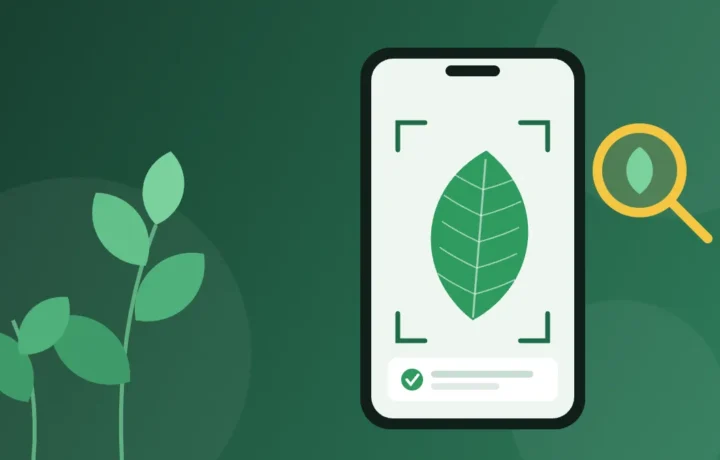
Found a pretty flower on the sidewalk, got a nameless seedling, or want to know whether the plant in the living room is harmful to the cat? Today you can find out in seconds: you point your phone's camera, take a photo, and the app shows the most likely species. We picked five free apps that do this well, each with a different way of getting to the answer.
Prices and availability checked on Google Play and the App Store in Brazil in November 2026.
In a few words
- Google Lens: the fastest, and often already on your phone.
- PlantNet: a scientific project, free, with an offline mode.
- Seek: the best for walks with children, no sign-up needed.
- iNaturalist: real people confirm your identification.
- PictureThis: focused on plant care, with some resources paid.
How an app recognizes a plant from a photo
These apps use image recognition: a program trained on millions of plant photos already identified by botanists and volunteers. When you send your photo, it compares the shape of the leaf, the color and pattern of the flower, the texture of the stem, and other details with everything it has learned, and returns a list of similar species, from most to least likely.
That's why the answer is never a certainty, but a probability-based guess. The sharper the photo and the more parts of the plant you show, the better the guess. Good apps show reference photos alongside each suggestion, so you can check yourself whether it matches what you have in hand.
The 5 free apps for identifying plants
1. Google Lens: the fastest answer
The Google Lens wasn't made only for plants: it recognizes objects, text, products and places. Even so, for common garden, potted or park plants it usually gets it right on the first try, and the advantage is that many people already have it on their phone without knowing.
On Android, Lens appears in the Google app (the camera icon in the search bar) and also exists as a separate app on Google Play. On iPhone, it's inside the Google app: just tap the same camera icon. After you take a photo, it shows the likely name and web pages with similar images.
Point of attention: since the answer comes from web pages, it doesn't show the probability of each species. For rare or very similar plants, it's worth confirming in one of the apps below.
2. PlantNet: the most scientific, and it works offline
The PlantNet is maintained by a consortium of research institutes in France and is part of a large citizen science project: the photos users send help researchers track where each species appears. According to the app's page, it recognizes more than 85 thousand species, including flowers, trees, succulents, cacti, herbs and ferns.
The differentiator is how it identifies: you can send several photos of the same plant, each of a different part (flower, leaf, fruit, stem), which greatly increases accuracy. The answer shows the most likely species, with images to compare. For each species there is a profile with a distribution map, flowering season and uses.
It also has an offline mode, useful on trails, farms or at the beach, which only requires a free account. The most recent addition is help recognizing plant diseases.
3. Seek: to explore as a family
The Seek is the simpler version of iNaturalist, created for those who want to learn without commitment. You open the camera, point it at a plant, an insect, a bird or a mushroom, and the app refines the identification on screen, from the broader group down to the species. Each discovery earns badges, and there are challenges to take part in, which turns a walk in the park into a game.
It's also the most laid-back for children: the Seek requires no sign-up and, by default, doesn't collect user data. It asks for your location to suggest common species in your region, but the app's page says the exact location is not stored or sent unless you sign in with an iNaturalist account and publish your observations.
4. iNaturalist: people confirm the answer
The iNaturalist is an initiative of the California Academy of Sciences with the National Geographic Society and works as a social network for nature. You record an observation (the photo, the place and the date), the app suggests what it might be, and then other users, many of them experienced biologists and naturalists, confirm or correct the identification.
It's the slowest route, because confirmation can take hours or days, but it's the most reliable for difficult plants. And confirmed observations become research data used in studies and biodiversity protection. To publish, you need to create a free account. On iPhone, prefer the app called simply iNaturalist; the "Classic" version is the old one.
5. PictureThis: for those who want to care for the plant
The PictureThis goes beyond the name: the idea is to help you care for the plant after identifying it, with watering and light guidance and answers to gardening questions. The interface is attractive and easy, which appeals to people starting to build a garden or a collection of pots.
Point of attention: the download is free, but the store warns the app has in-app purchases, and part of the features sits behind a subscription. If it offers a free trial, check beforehand when billing starts and how to cancel. If you only want to find out a plant's name, the four apps above solve it at no cost.
Quick comparison
| App | Cost | Strong point | Point of attention |
|---|---|---|---|
| Google Lens | Free | Speed; often already on the phone | Doesn't show the probability of each species |
| PlantNet | Free | Several photos of the same plant; offline mode | The offline mode requires a free account |
| Seek | Free | No sign-up; good for children | Fewer details about each species |
| iNaturalist | Free | Confirmation by other people | Confirmation can take time |
| PictureThis | Free to download | Care tips | Some features are paid |
How to install safely
Always install from your phone's official store. Files downloaded from websites, with names like “APK” or “XAPK”, may carry viruses or altered versions, and none of these apps need that. Also be wary of ads that imitate system warnings saying an app is “out of date”: to update, just open the store.
On Android
- Open Google Play and search for the app's name.
- Check the developer's name just below the title: PlantNet, iNaturalist, Google LLC or Glority Global Group Ltd., depending on the app. Copies with similar names exist.
- Tap Install and wait for it to finish.
- The first time you open it, allow camera use. Location is optional, but it helps the app suggest species from your region.
On iPhone
- Open the App Store, tap Search and type the app's name.
- Check the developer on the app's page before downloading.
- Tap Get and confirm with Face ID, Touch ID or your Apple ID password.
- To use the Google Lens, install the Google app and tap the camera icon in the search bar.
How to take the photo the app gets right
Most errors come from the photo, not the app. These precautions make a difference:
- One part per photo. Photograph the flower, then a leaf, then the stem or fruit. A photo of the whole plant, taken from far away, helps the least.
- Fill the frame. Get close until the leaf or flower fills almost the whole image, but without losing focus.
- Clean background. A sheet of paper or your own hand behind the leaf separates the plant from the rest of the garden.
- Daylight, without strong shadows. Avoid the flash and direct midday sun.
- Details matter. Thorns, hairs on the stem, the underside of the leaf and the pattern of the veins help tell apart similar species.
- Compare. Open the reference photos of the suggestion. If in doubt, test the same image in two different apps.
Precautions before trusting the answer
The app helps satisfy curiosity and take better care of the garden, but it does not replace an expert. Never eat a plant, a wild fruit or a mushroom, nor use a plant as medicine, just because an application identified it. Edible and toxic species can look very alike.
If you have children or pets, the app is a good way to find out whether a houseplant deserves attention. Two very common ornamental plants in Brazil, dieffenbachia and oleander, are toxic if chewed or swallowed. In case of ingestion, seek medical or veterinary care and bring a photo of the plant.
Remember that mushrooms are not plants: they are fungi. The Seek and the iNaturalist suggest names for them too, but photo identification is never enough to say whether a mushroom can be eaten.
Frequently asked questions
Are these apps really free?
Yes. The Google Lens, the PlantNet, the Seek and the iNaturalist are free. The PictureThis is free to download, but has paid features.
Do they work without internet?
The PlantNet has an offline mode, unlocked with a free account. With the others, count on the internet being on when identifying. If you are going somewhere without signal, set up offline mode before leaving.
Which one gets it right most often?
It depends on the plant and, above all, on the photo. For common plants, they all tend to be right. For difficult plants, the best route is to send several photos to the PlantNet or post on the iNaturalist and wait for community confirmation.
Can I use an old photo from the gallery?
Yes. Almost all of them let you choose an image from the gallery instead of opening the camera. The usual rule still applies: the sharper and closer to the plant, the better.
Does the app find out if the plant is sick?
The PlantNet has started helping recognize plant diseases. Even so, for a plant that is wilting or has spots, also check watering, light and the pot, which are the most common causes.
Enjoyed this? In the Apps category you will find other guides to useful everyday apps, and in Curiosities there is more to read about nature.